• Featured post

Embeddings, Vector Search & BM25

Un ordenador no puede entender texto ni relación semántica o significado entre palabras. Solo puede entender números. Esto lo resolvemos mediante el uso de embeddings.

Un embedding es la representación de texto (en forma de números) en un espacio vectorial. Esto permite a los modelos de IA comparar y operar sobre el significado de las palabras.

flowchart TD
    A["perro"] --> B
    B --> C["[-0.003, 0.043, ..., -0.01]"]
    
    N1["(texto que queremos convertir)"]:::note --> A
    N2["(vectores con contenido semántico)"]:::note --> C
    
    classDef note fill:none,stroke:none,color:#777;    

Los vectores de cada palabra o documento capturan el significado semántico del texto.

  • perro estará cerca de mascota
  • contrato estará lejos de playa

Vector vs SQL databases

El problema con las BBDD típicas es que solo buscan matches exactos. Si yo busco por coche solo me sacará las entradas que contengan coche.

En cambio, como las BBDD vectoriales pueden interpretar la semántica de las palabras mediante los vectores, si busco por coche puede sacarme valores como sedán, SUV, Land Rover, etc.

Las BBDD vectoriales son muy buenas cuando necesitamos buscar items similares por proximidad uno respecto al otro. Un ejemplo de uso es buscar películas parecidas (Netflix). Otro ejemplo son los recomendadores de items parecidos en tiendas online (Amazon).

Como ejecutar una búsqueda (query) mediante vectores

(You can see the code here)

Necesitamos:

  • Una BBDD Vectorial (CosmosDB)
  • Un modelo para transformar los embeddings (text-embedding-3-large)

El flujo completo es el siguiente:

  1. Usar un embedding model para obtener los vectores del contenido que queremos indexar
  2. Insertar el texto original y los vectores del contenido en una BBDD vectorial
  3. Cuando queramos ejecutar una query usar el mismo embedding model de antes con la query a buscar. Con el embedding resultante buscamos vectores similares en la BBDD y sacamos el texto original de original_text

    Introducir vectores en CosmosDB

    Para poder buscar necesitamos rellenar antes la BBDD con contenido. Lo mantenemos simple. Metemos

    • un ID a mano
    • el texto original
    • los vectores resultado de hacer el embedding sobre el texto original

El pseudocódigo se ve así y se ejecuta de uno en uno

text = "A shiba walks alone in the park"
# this sends the text to the model text-embedding-3-large 
vectors = createEmbeddingsForText(text)
item = {
	"id": "1",
	"original_text": text,
	"vectors": vectors
}
uploadToCosmosDB(item)

ejemplos de los datos que guardo

{
	"id": "1",
	"original_text": "A shiba walks alone in the park",
	"vectors": [-0.003, 0.043, ..., -0.001]
}

Read More

Google Cloud Developer Certification - Index

google-cloud-developer-image

This are personal notes for the GCP Developer certification. If you want to get ready, I fully recommend doing Qwiklabs and Coursera courses to prepare yourself.

Google Cloud Platform (GCP) Fundamentals: Core Infrastructure Introducing Google Cloud Platform
Getting started with GCP
Virtual machines in the cloud
Storage in the cloud
Containers in the cloud
Applications in the cloud
Developing in the cloud
Big Data in the cloud
Machine Learning in the cloud

Getting started with Application Development Best practices for app development
Google Cloud SDK, Client Libraries and Firebase SDK
Data Storage Options
Best practices for Cloud Datastore
Best practices for Cloud Storage

Securing and Integrating Components of your Application Cloud IAM (Identity and Access Management)
OAuth2.0, IAP and Firebase Authentication
Cloud Pub/Sub (needs cleaning)
Cloud Functions (needs cleaning)
Cloud Endpoints (needs cleaning)

App deployment, Debugging and Performance Deploying Applications (needs cleaning)
Execution Environments for your App (needs cleaning)
Debugging, Monitoring and Tuning Performance (needs cleaning)

Course Qwiklabs Setting up a development environment

Extra Qwiklabs

Using the Cloud SDK Command Line Link to course

Getting started with Cloud Shell and gcloud
Configuring networks with gcloud
Configuring IAM permissions with gcloud
gsutil commands for Buckets
gsutil commands for BigQuery

From Java to Android with Kotlin

(Disclaimer: This are my personal notes from following Kotlin and Android courses in Udemy. This is a watered-down version from those courses. Check and buy the original courses if you want to find the full resources I used with more detail)

Android

This are my notes on the progress of things I had to learn to go from Java Developer to develop my first Android App with Android in Kotlin.

ViewBinding
DataBinding
MVVM Architecture
Live Data
ViewModel, LiveData, DataBinding
(wip: I still have to order and clean this series of posts from here on)
Recycler View
Navigation Architecture Component
Android Notifications
Coroutines
WorkManager
Android Testing

Extras:
Dagger2 Framework (dependency injection)
Hilt Framework (Dagger2 wrapper)
Room Framework (SQLite)
Android SQLite experience sheet
Android Development experience

Kotlin

This series of posts explain the main differences in language structures and usage between Kotlin and Java languages. I don’t explain the full Kotlin language, but the novelties that Kotlin implements that may be of interest to a Java developer.

From Java to Kotlin - Data Types & Casting
From Java to Kotlin - Operators & Operators Overloading
From Java to Kotlin - Nullable Types & Null Checks
From Java to Kotlin - Control Flow
From Java to Kotlin - Functions, Varargs & Default Parameters
From Java to Kotlin - Standard Library Functions
From Java to Kotlin - Lambdas
From Java to Kotlin - OOP, Companion Objects & Destructuring in Kotlin
From Java to Kotlin - Exceptions & Collections

Extras:
Kotlin cheat sheet with code examples

Scrapy (Python web crawler)

Scrapy is a web-scrapper & crawler.

Concepts

spider: class that you define and scrapy uses to scrape information from a website (our a group of websites). They must define the initial requests to make, optionally how to follow links in the pages and how to parse the content to extract data

item pipeline: after an item has been crawled by a spider, it’s sent to the item pipeline which processes it through several components that are executed sequentially. You can use them, for example, to save items to a database

How to use

# create a new project
scrapy startproject your_project_name  

# after writing a spider, it starts the crawl
scrapy crawl quotes

Read More

React JS

JavaScript library for building user interfaces. Created by Facebook.

Yarn

JavaScript package manager compatible with npm that helps automate the process of installing, updating, configuring, and removing npm packages.

Install

# add Yarn repository
curl -sS https://dl.yarnpkg.com/debian/pubkey.gpg | sudo apt-key add -  

echo "deb https://dl.yarnpkg.com/debian/ stable main" | sudo tee /etc/apt/sources.list.d/yarn.list  

sudo apt-get update  
sudo apt-get install nodejs yarn  
yarn --version # verify

Read More

Programming Templates

personal-templates-image

Which problem does it solve?

  1. Whenever I started a new project, I would spend the first few days setting everything up - Java11 (.NET with c# nowadays), maven configuration, docker, microservices communication, databases config etc. This process took way too much time.

  2. When learning a new programming language or framework, by the time I needed to use it, I had often forgotten how to set everything up. This approach saves me time in the long run and forces me to really learn how to use the new technology.

  3. For technical tests during job hunting, it allows me to save time and focus entirely on the code challenge.

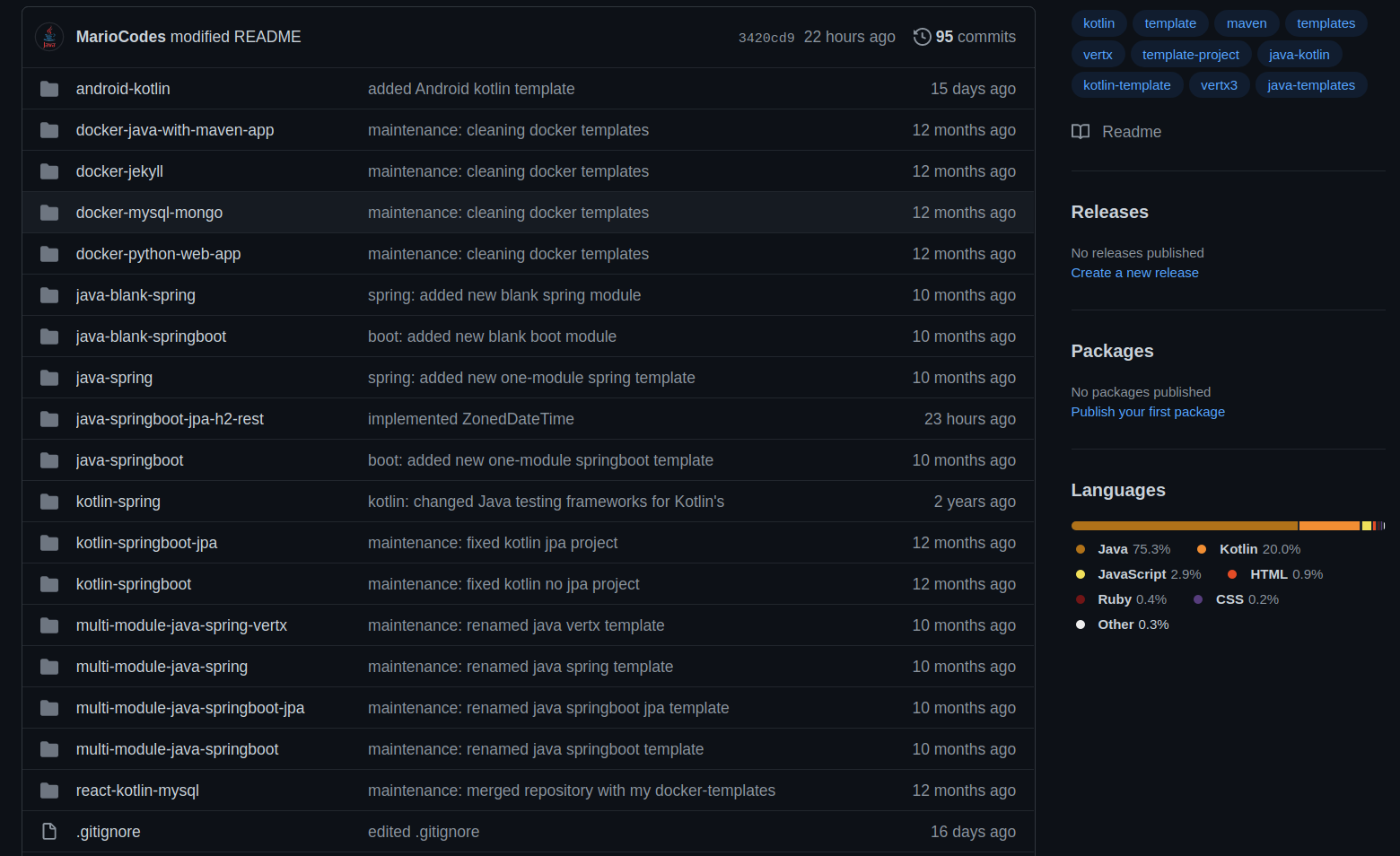
Github Repository

Jekyll

Jekyll is a blog-aware static site generator, written in Ruby. It’s used for Github Pages and it transforms files written in markdown and liquid into a full HTML web.

Installation

Pre-requirements

sudo apt-get install ruby-full build-essential zliblg-dev
sudo gem install jekyll bundler

Configuration

The basic config is under _config.yml

# shows any config mishap
bundle exec jekyll doctor

Read More

Docker best practices

List of things to do, to improve your Docker experience

Never map the public port on a DockerFile

If you map it, you’ll only be able to have one instance of this container running. If the user wants to map the port, he’ll be able to do it in a compose script or with -p option.

# public and private mapping
EXPOSE 80:8080 # don't do this

# private mapping
EXPOSE 80

Read More

Docker, DockerFiles and docker-compose

Working docker-compose and DockerFile examples to complement this information
Interesting tool to analyze custom Image layers size

Basic Definitions

Image Executable package that includes everything needed to run an application. It consists of read-only layers, each of which represent a DockerFile instruction. The layers are stacked and each one is a delta of changes from the previous layer.
Container Instance of an image.

Stack Defines the interaction of all the services
Services Image for a microservice which defines how containers behave in production

DockerFile File with instructions that allows us to build upon an already existing image. It defines:

  • the base image to build from
  • our own files to use or append
  • the commands to run

At the end, a DockerFile will form a service, which we may call from docker-compose or standalone with docker build.

DockerFiles vs docker-compose A DockerFile is used when managing a single individual container. docker-compose is used to manage an application, which may be formed by one or more DockerFiles. Docker-compose may also be used as support to input large customization options, which otherwise would be parameters in a really long command.

You can do everything docker-compose does with just docker commands and a lot of shell scripting

Read More

Git advanced

Config

  • see config git config -l
  • modify username git config --global user.name "newName"
  • modify email git config --global user.mail "new@mail.com"

Git bisect

Is a tool to find the exact commit where a bug was introduced.

Usage

I have a file with the following content and an obvious bug

Row row row your car at the river

Read More